Global illumination

Indirect light, bounces and color bleeding between surfaces.

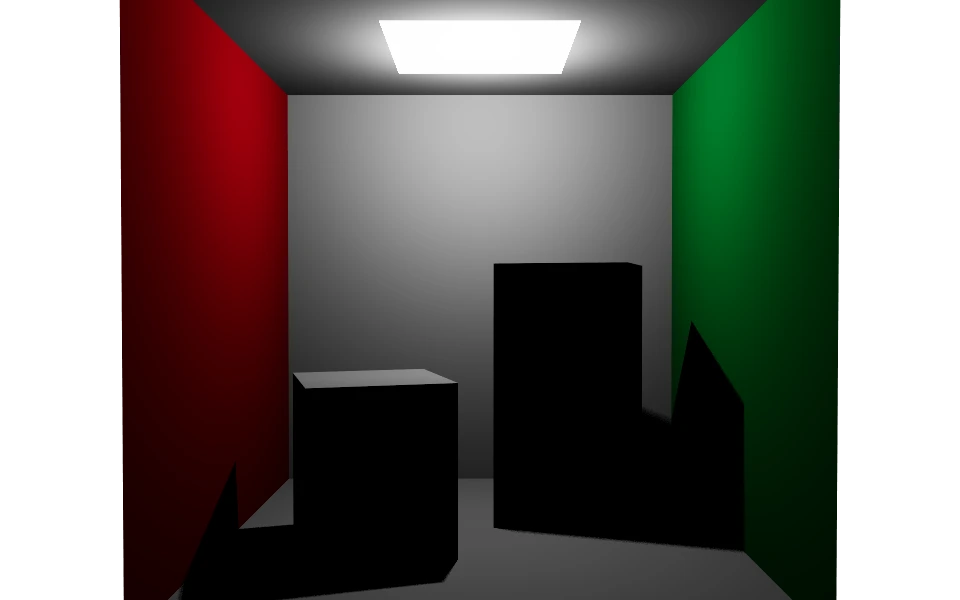
Off
Off
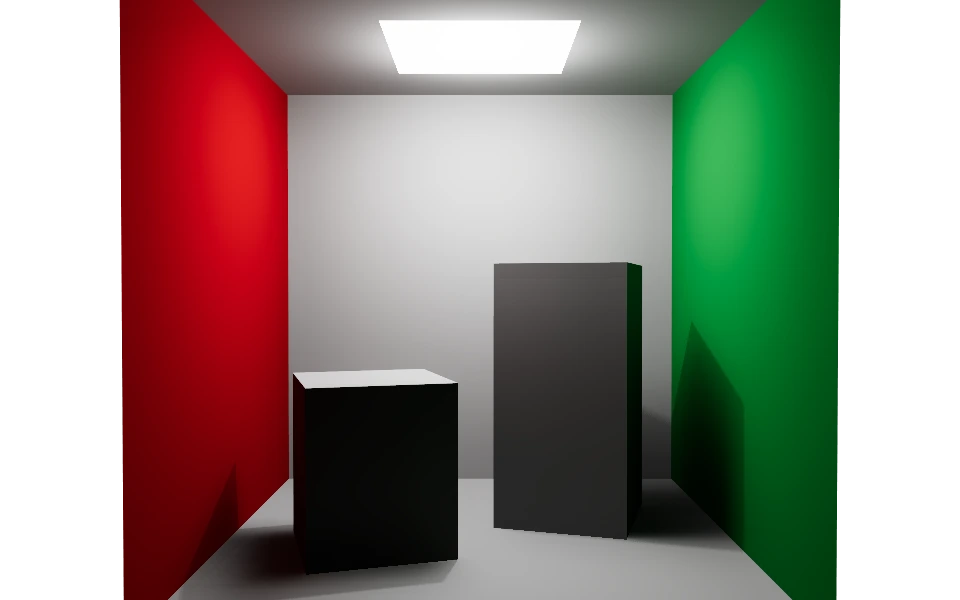
One bounce
One bounce
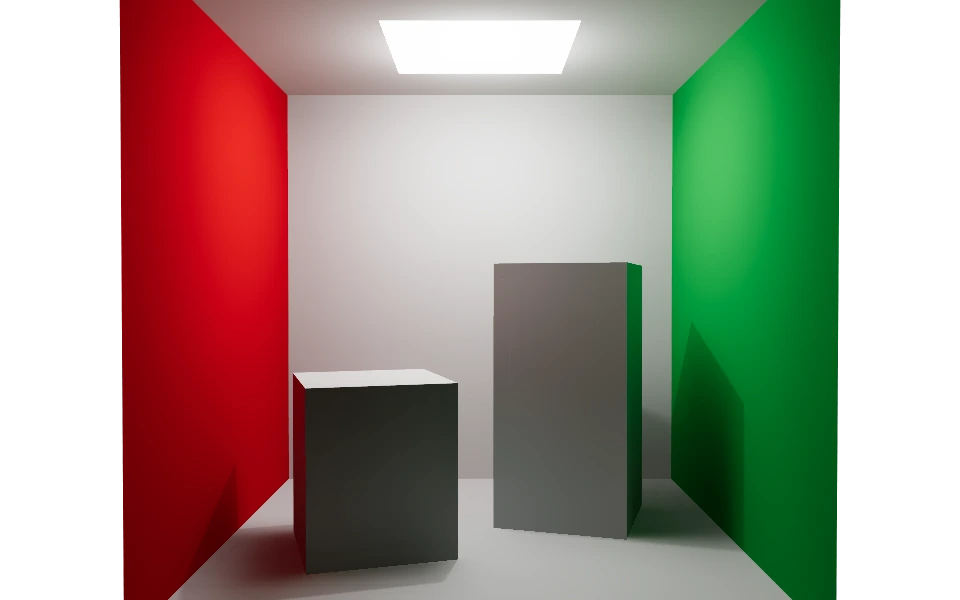
Three bounces
Three bounces

The Global illumination section adds the light that arrives after bouncing off something. Without it, whatever receives no direct light stays black, as in the first image: the ceiling fixture lights the floor and the top of the boxes, and the rest disappears.

With indirect light on, every surface gives back part of what it received. The red wall tints the floor red, the green one does the same on the other side, and the faces turned away from the fixture gain brightness without a single new light being created. Emissive objects light their surroundings too.

Global illumination starts off.

Controls

  • Enable global illumination: Turns the indirect light computation on.
  • GI samples: From 1 to 1024 rays per pixel, independent from the antialiasing samples. More samples mean less noise and more time. The default is 64.
  • Diffuse bounces: From 1 to 8. One bounce already takes the black out of the shadows; closed interiors, like the one in the images, keep brightening up to the third. The default is 3.
  • Intensity: Multiplies the indirect part only, from 0 to 4. At 1 the computed energy is preserved.
  • Firefly clamp (0 = off): Caps the maximum luminance of an indirect sample. It reduces isolated bright dots at the cost of darkening indirect light a little. The default of 0 turns the cap off.
  • Irradiance cache: Computes indirect light on a grid of points in each bucket, with every sample at each point, and interpolates between them for the other pixels. This is what makes smooth surfaces several times faster. Where no point reaches (corners, fine detail), the pixel computes its own value. On by default. It is a phase of its own, before any final pixel: the grid covers the whole image in three levels, coarse to fine, and each level only computes where the previous records do not reach, so smooth surfaces cost almost nothing. The points show up in gray while they are computed and the shading starts once the grid is complete.
  • Cache spacing (pixels): Grid step, from 1 to 16 pixels. Larger values are faster and smoother; 1 is the same as turning the cache off. The default is 4.
  • Noise reduction: After the last bucket, filters the indirect light of the whole image, guided by normals, depth and the variance measured at each pixel, and recomposes the result. Only the indirect part is filtered: textures, direct light and reflections stay intact. On by default.

Limits

The computation covers diffuse indirect light. There are no specular paths, no refraction and no physical caustics, and custom shaders, such as water, do not take part in the diffuse transport. The cache and the filter smooth the indirect light: very tight corners can brighten slightly and indirect shadow detail smaller than the grid step can be lost.